


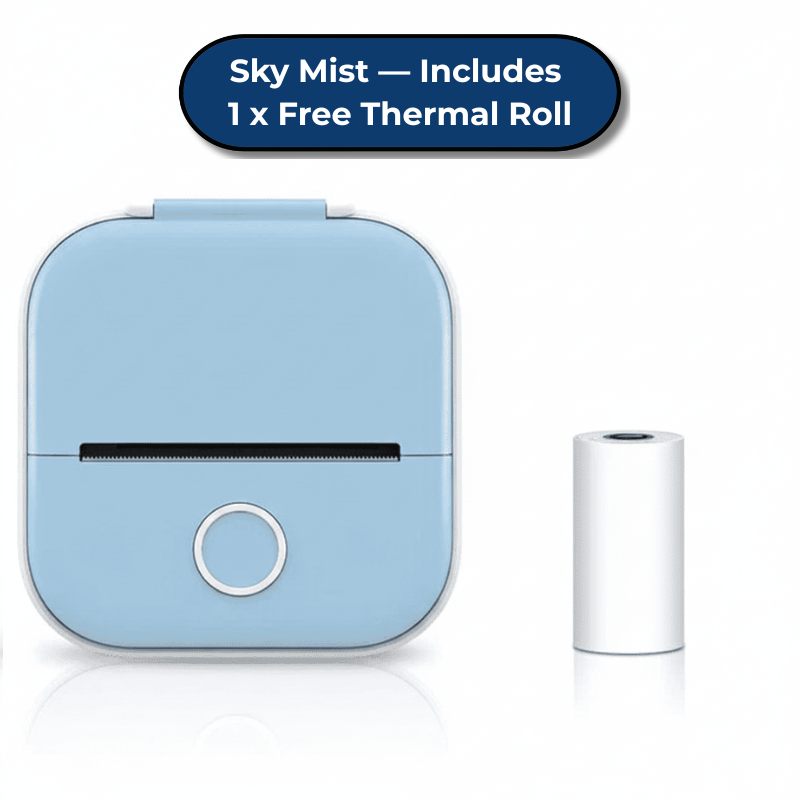

Print Instantly, Anywhere — Inkless & Portable
Bulky printers and expensive ink? Not anymore.
- ⚡ 72h+ Battery Life — Print all week on a single charge. No wall outlet needed.
- 💚 Inkless Thermal Technology — Zero cartridges, zero mess, zero costs. High-definition thermal prints instantly.
- 🔌 Pocket-Sized & Portable — Fits in your bag or pocket. Print directly from your phone via the app.
Perfect for study notes, creative diagrams, custom stickers, and organization labels. Just connect, print, and go.

Stop Wasting Money on Ink — Print Instantly, Anywhere
📱 Instant Printing — Ideas to physical prints in seconds. No computer, no cables, just your phone.
💰 Zero Ongoing Costs — No ink cartridges, no refills, no mess. Thermal printing saves you hundreds per year.
🎨 Perfect for Aussie Families — Label lunchboxes, organize pantries, print study notes, create custom stickers. If it's on your phone, you can print it.
🇦🇺 Backed by Real Aussie Support — FREE ongoing tech support, 24/7 AI chatbot, 30-day guarantee. We've got your back.

Tech Setup Made Easy — We Handle Everything
📱 Zero Tech Headaches — Download the app, connect via Bluetooth, start printing. Can't figure it out? Our FREE lifetime tech support walks you through every step.
✨ Crystal-Clear Prints — Sharp, smudge-proof thermal printing for labels, notes, stickers, and diagrams.
🪶 Pocket-Sized & Portable — Just 210g. Lighter than your phone, fits anywhere.
🇦🇺 Real Aussie Support, Always Free — Stuck? Confused? Our 24/7 AI chatbot and lifetime tech support team have your back. No question is too small.

Everything You Need in One Box — Ready to Create
📦 InkyLess Go™ Mini Thermal Printer — Premium portable printer. Arrives fully assembled, ready to use immediately.
📜 Starter Thermal Roll (FREE) — 1x high-quality thermal paper roll (~100 prints). Start creating the second you unbox.
📱 Companion App Access — Full access to the Phomemo App (iOS & Android). Hundreds of templates, fonts, and creative tools included.
🔋 Rechargeable 1000mAh Battery — 72+ hours of standby time. Includes USB charging cable.
📘 Quick Start Guide & Accessories — Step-by-step Bluetooth pairing instructions, USB cable, user manual.
🇦🇺 FREE Setup Support Included — Forget confusing manuals in 100 languages. Our Aussie tech support walks you through setup in plain English. Can't pair Bluetooth? We've got you. No question is too small.
Why Aussies Can’t Get Enough of InkyLess Go™

Easy Bluetooth Pairing
60-second pairing. FREE tech support.

Pocket-Sized + Long Battery
1000mAh battery. USB-C fast charge.

Crisp Inkless Prints
Inkless prints. FREE starter roll.

30-Day Returns & Local Support
30-day risk-free. FREE Aussie support.
Technical Specifications
| Technology | Ink-free Direct Thermal |
| Resolution | 203 DPI High-Definition |
| Battery | 1000mAh Rechargeable Lithium-Ion |
| Connectivity | Bluetooth 5.0 (iOS & Android) |
| Portability | 210g weight, 110 x 80 x 40 mm dimensions |
| Compatibility | Uses free Phomemo App |
The InkyLess™ Experience: Local. Intelligent. Ongoing.
24/7 AI Creative Assistant
Instant answers for setup, troubleshooting, and creative ideas. Trained on real customer questions so you're never stuck.
Real Aussie Tech Support
FREE ongoing support from local Aussies, not offshore call centers. We fix blurry prints, setup issues, and Bluetooth pairing—for as long as you own it.
Fast Australian Delivery
Dispatched from Australian warehouses. 5-9 business day delivery with real tracking. No international delays.
Honest Pricing, Zero Surprises
No hidden fees. No subscriptions. Just honest pricing and premium ongoing support.
FAQ
What does "Ongoing Support" cover?
Our Ongoing Technical Support means our Aussie team helps with app setup and troubleshooting whenever you need it. 🤝
Do I need ink or cartridges?
No. 🚫 The InkyLess Go™ uses Direct Thermal Technology and heat-sensitive paper to create images. This eliminates the need for expensive ink, toner, or ribbons, saving you hundreds in ongoing costs. 💰
Can I print in colour?
The InkyLess Go™ is a monochrome thermal printer, meaning it prints in crisp black. 🖤 However, you can create colourful effects by using our Multicolour Thermal Rolls:
Self-adhesive sticker format: Purple, Green, and Orange
Non-adhesive paper rolls: Pink, Blue, and Yellow
🌈
What devices does it work with?
It connects wirelessly to all iOS & Android smartphones via Bluetooth. 📱 Simply download the free Phomemo app to start your creative projects in seconds. ⚡
How long does the battery last?
72 Hours. 🔋 The high-capacity 1000mAh battery provides up to 3 days of standby time or 100+ continuous prints on a single charge. It recharges quickly via any standard USB-C cable. 🔌
What paper can I use?
📄 Every InkyLess Go™ comes with 1 starter white adhesive roll. You can also grab colourful and transparent rolls from our store for endless creative possibilities. ✅
How fast is delivery within Australia?
We offer Free Tracked Shipping Australia-wide. 🇦🇺 As a locally owned business, we process orders within 24 hours, with most customers receiving their InkyLess Go™ within 5–9 business days. 🚚
Tech Support & Troubleshooting ✅
Why am I getting blank prints?
⚠️ Make sure you’re using thermal paper and that it’s loaded correctly with the printing side facing the print head. Also, ensure the roll is not moisture-damaged. 💧
What if I can't connect via Bluetooth?
🔗 Follow these steps: 1. Download the Phomemo app. 2. Turn on the printer and Bluetooth within 3 metres. 3. Connect via the app (not your phone settings). 📱
What does a red light mean?
🔴 Solid Red: Usually means no paper or the cover is open. 🚨 Flashing Red: Indicates a low battery. Charge the printer promptly. 🔌
How do I reset the printer?
🔄 If you experience issues, insert a pin into the reset hole near the power port to restart the InkyLess Go™. ✅
Still need help?
Our AI support assistant is available 24/7. 🤖 You can also contact our Aussie support team at hello@welltechfinds.com for ongoing technical assistance. 🤝